
DGL / SPIXXIT
Your images. Your information.
One tap away.
Keep schedules, formulas, notes, and other useful images on your Android home screen. With Spixxit, a single tap opens what you need—no searching through your photo gallery.
For Android · Your images, one tap away

Less searching. More time for learning.
A class schedule, a formula sheet, a photo of your lab setup: keep the things you refer to often within easy reach. Whether you’re in school, in college, or learning something new, Spixxit helps you get back to them quickly.
Keep study materials handy
Give vocabulary lists, key facts, and exam schedules a place on your home screen. The things you need won’t get buried among vacation photos and screenshots.
Make room for your teaching ideas
Add shortcuts to photos of the board, worksheets, or lab setups. Bring them up whenever you need a reference or want to pick up where you left off.
Your image. Your shortcut.
Choose an image, make the shortcut your own, and add it to your home screen.
1. Choose an image
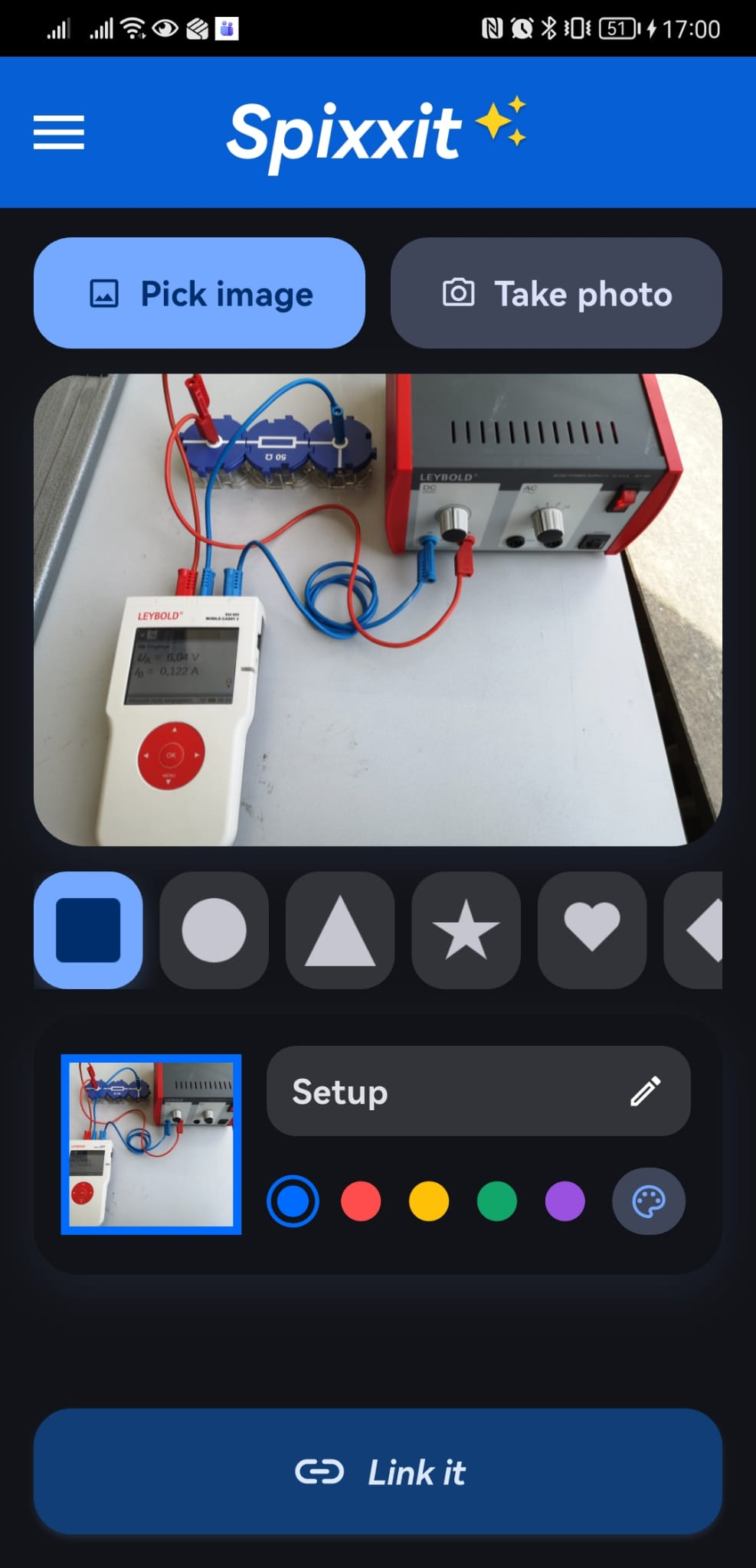
Pick an image from your device or take a new photo.
2. Link it
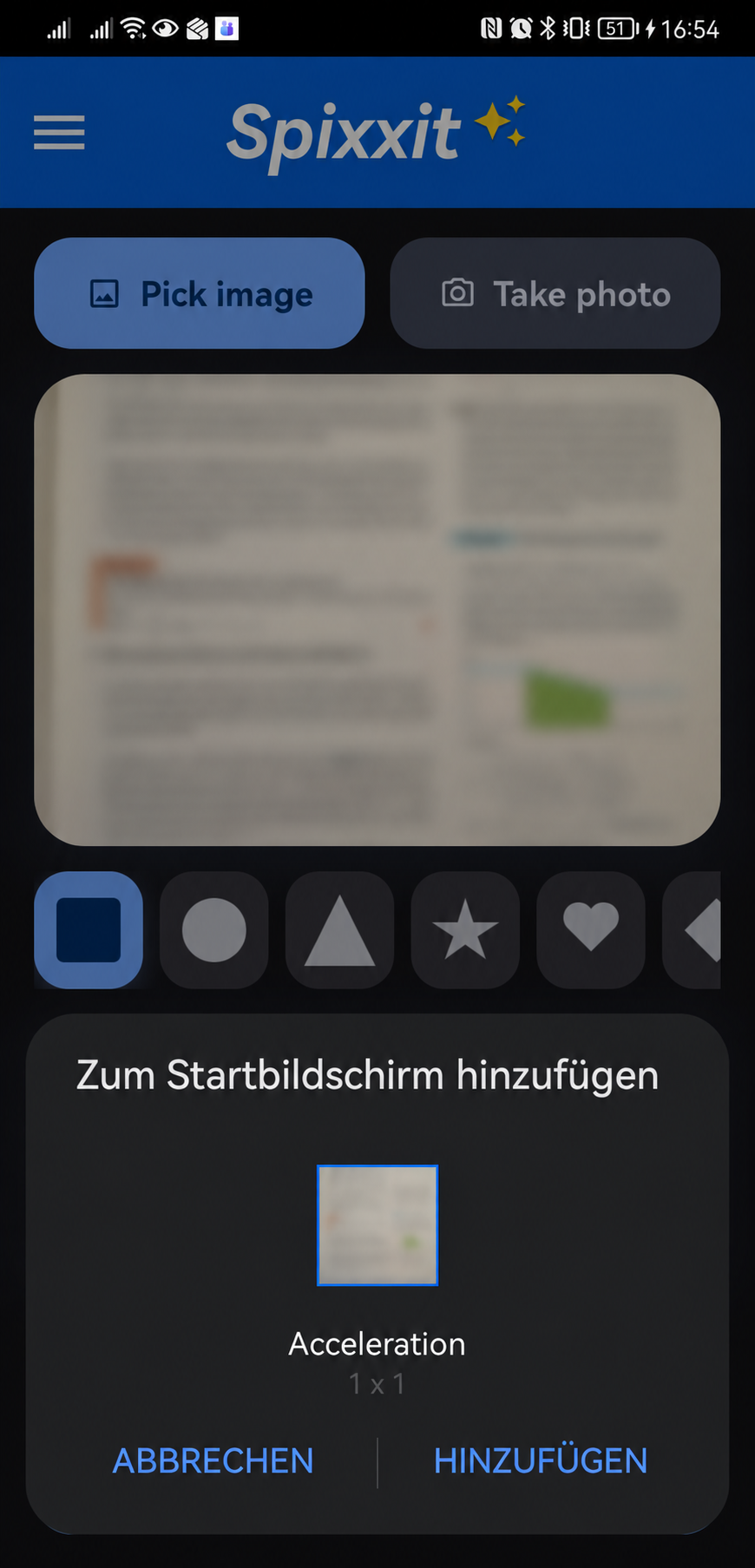
Choose a shape, border color, and name. Then confirm that you want to add the shortcut to your home screen.
Textbook content has been blurred in this screenshot.
3. Tap to open
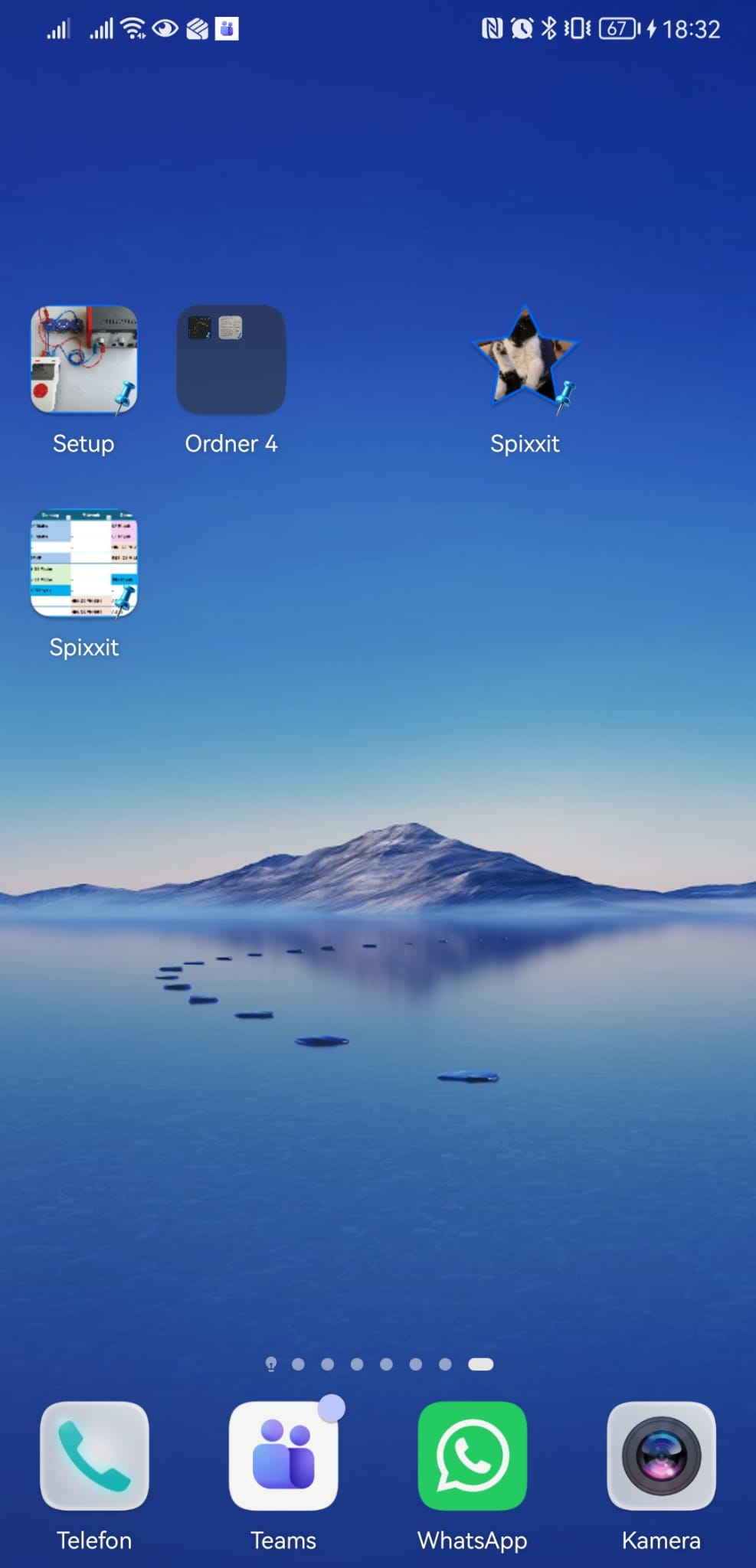
Tap the shortcut to open your image. The things you use often now have a place of their own.
What would you like to keep handy?
Study and reference
Class schedules and study plans
Formulas, key facts, and vocabulary lists
Worksheets and photos of the board
Plans and places
Room layouts and campus maps
Exam schedules and opening hours
Images you’ve received through WhatsApp or other apps
Your images stay on your device.
Spixxit turns your selected images into convenient home screen shortcuts. It focuses on one simple job: keeping useful visual information easy to reach.
Get back to what matters.
Keep useful images on your home screen. Spend less time searching.
Spixxit for Android