
DGL / MOTANALI
Physics begins with motion.
Explore the physics in your own videos. Motanali helps students track motion, read graphs, and connect what they see with what they measure—all on a smartphone or tablet.
For iOS and Android · Free recording, tracking and analysis


Explore on your own. Learn together.
For learners: from observation to explanation.
Why does a ball speed up? Where does a pendulum move fastest? Start with motion around you, then use tracked points, graphs, and vectors to test your predictions and explain what you see.
For teachers: bring your lesson ideas to life.
Turn a classroom question into an experiment. For many activities, a smartphone or tablet, a moving object, and a known reference length are enough to get started. Use the results to help students describe what happened, explain why, and evaluate the evidence.
Record and analyze on the same device.
Available for iPhone, iPad, and Android. Record a video and analyze it right on your device, without transferring files to a computer.
Choose a video, track the motion, and set the scale. Then move between the video, graphs, and data to build a clearer picture of what happened.
See the motion. Discover the physics.
Follow a bouncing ball from video to graph to data—and discover the physics behind its motion.
Track the
motion
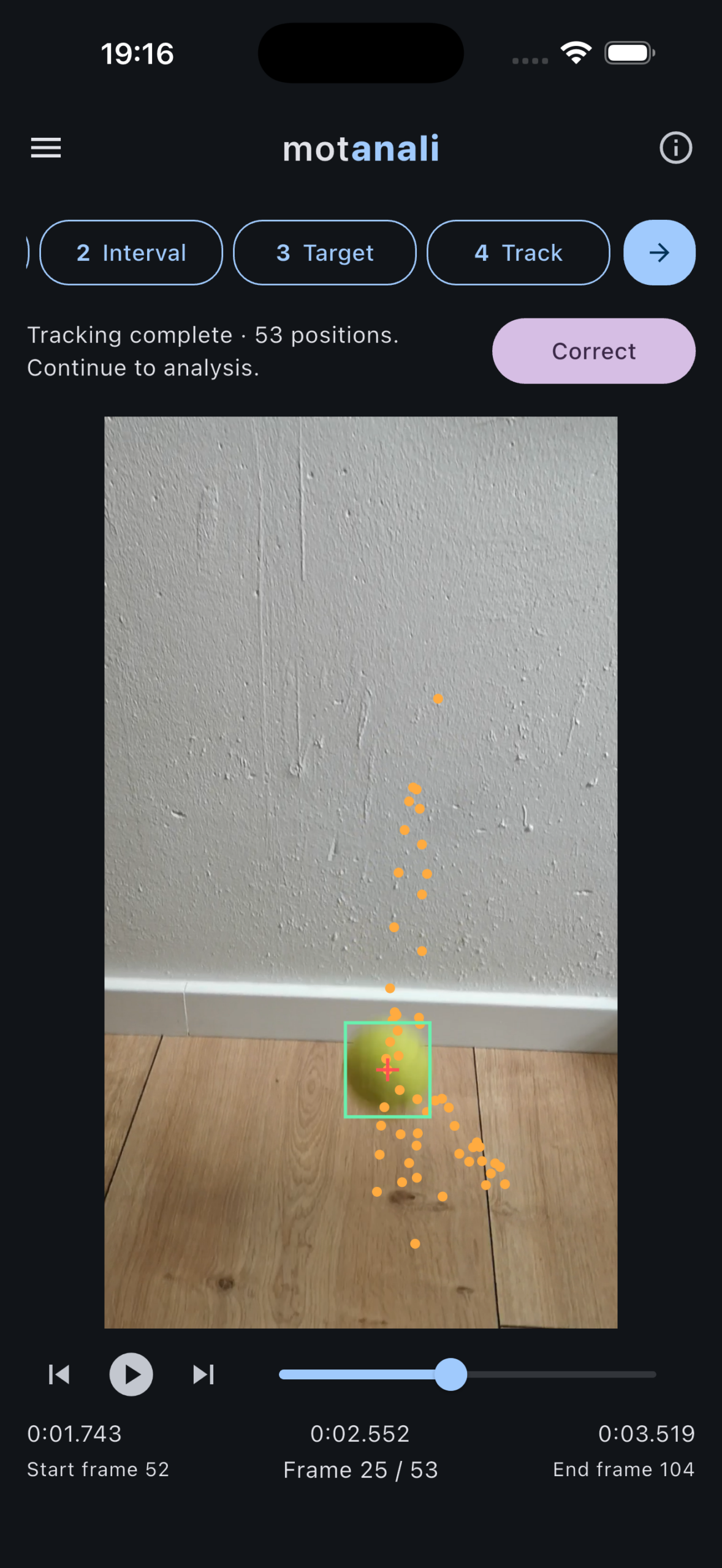
Tracked points reveal the path of motion. Detected positions can be corrected when needed.
Explore
connections
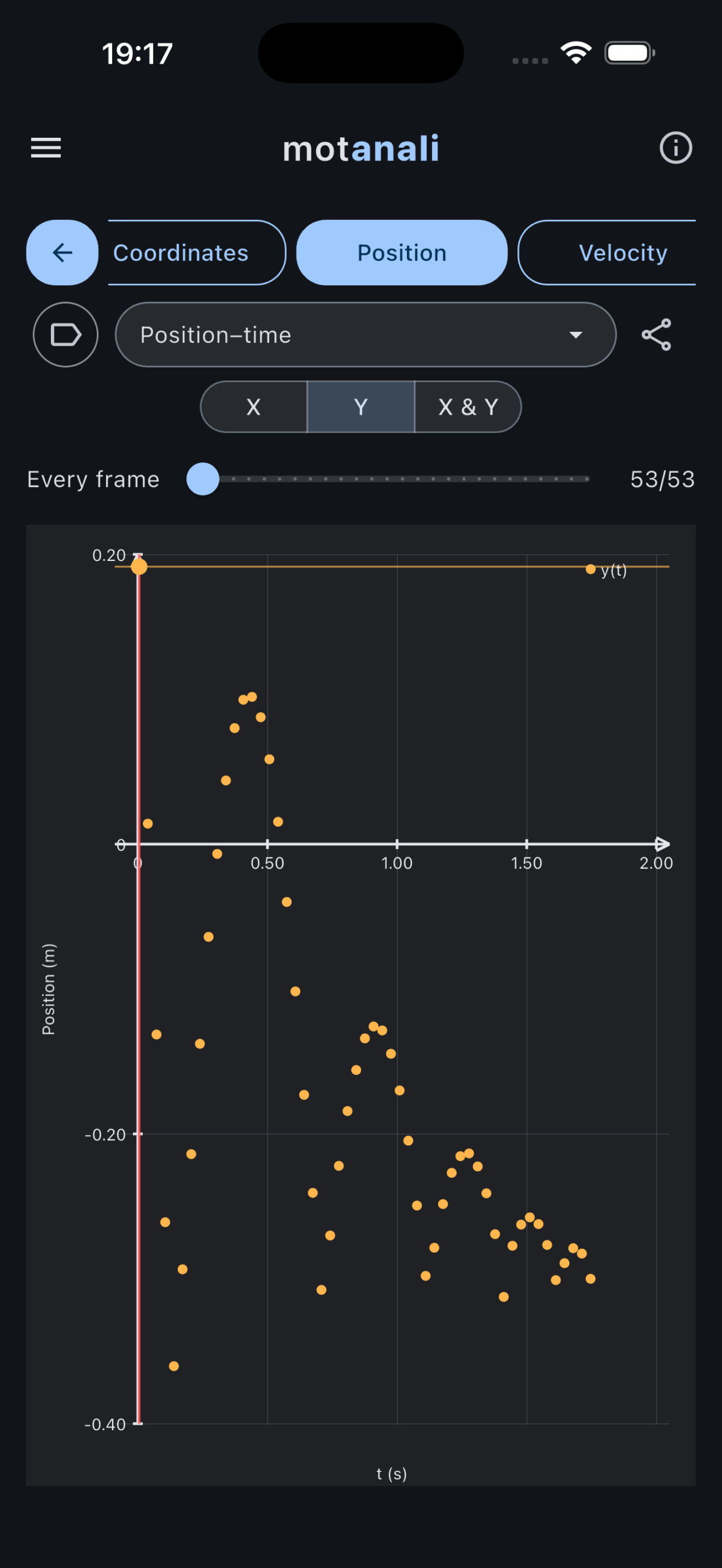
Position–time graphs reveal patterns in motion and help you understand what’s happening.
Take your
analysis further
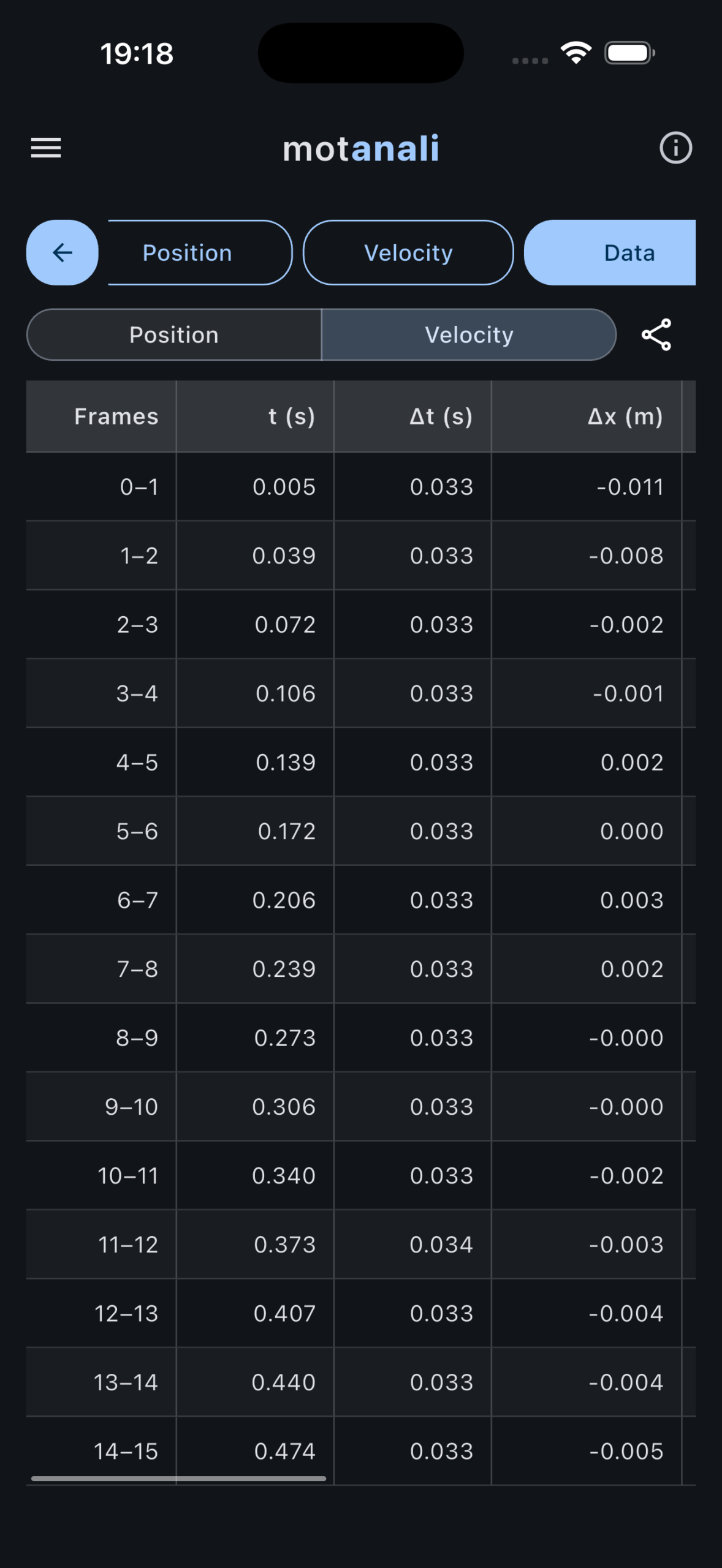
Tables let you examine individual measurements and take your analysis further.
Tools for your investigation.
Track
and check
Track motion automatically, review the detected points, and correct positions when needed.
Calibrate
and analyze
Set the scale and origin, explore trajectories and time graphs, and examine velocity vectors.
Export
and explore
Export measurements as CSV or Excel for further analysis, for example in a spreadsheet.
Free to explore. Built for learning.
Record, track, and analyze motion for free. Whether you’re learning or teaching, turn your own videos into hands-on physics investigations.
Motanali
Record, track, and analyze motion with tools that support both first investigations and more advanced work. Clearly organized menus help learners find their way, explore features step by step, and take on more challenging questions as their skills grow. Export up to 20 rows of data.
Motanali Plus
For professional users who need complete datasets: Motanali Plus gives you full data export while supporting the app’s continued development for learners. It’s a one-time in-app purchase, with no subscription. Check your app store for the current price.
Getting your classroom started.
Explore practical ideas for using Motanali in physics lessons. The activity guide includes learning goals, a short procedure how to setup the experiment, discussion questions, and a simulated sample video for testing right away.
Frequently asked questions
Which devices can I use with Motanali?
Motanali is available for iPhone and iPad, as well as Android smartphones and tablets. See the App Store or Google Play for system requirements.
What do I need for my own investigation?
A suitable video with a clearly visible object and a known reference length to set the scale. A steady camera and good contrast make analysis easier.
Is Motanali only for classroom use?
No. University students and anyone interested in physics can investigate motion too. Linking video with measurements supports independent exploration.
When do I need Motanali Plus?
You need Plus to export more than 20 rows of data. Recording, tracking, and analysis are available without Plus.
Explore motion with your own video.
Download Motanali for your smartphone or tablet and start with a video of your own.